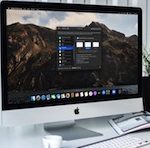
 Do you want your notifications to stop showing previews on your Mac? Perhaps you want more privacy for the messages or emails you receive? Fortunately, it’s pretty easy to disable notification previews in MacOS.
Notifications are pretty useful to stay updated on your emails, text messages, calendar events, and more. Although glancing through various notifications without having to log in to your Mac sounds pretty convenient, it often comes at the cost of your privacy. This is because anyone can read these notifications even if they don’t know your password, since they appear on the lock screen. If you want to change how notifications display on the Mac Lock Screen, you can disable notification previews. This will result in the notification appearing, Read more
How to Change Your General Preferences on Safari: Mac + iOS
Click the Websites tab to edit website settings. This menu has a variety of options for changing how websites behave....