If you get a lot of email, anything that helps you stay on top of it, is a good thing. So even though it’s hardly very powerful, you have to give a shout out to the Filter option on Apple Mail for iOS.
If you open Apple Mail on iPhone, and are in any mailbox, there is a Filter button at bottom left. Tap that and by default, suddenly you’re only seeing unread messages.
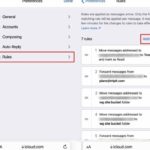
There is more you can do, but managing your email perhaps starts with that, and then continues with wringing more features out of iCloud. Read more

TVAUG March Madness Details
March is always an exciting time for college basketball fans, and with the Men's First Four tipping off on March 17. I...